Nox Block
Self-hosted DNS governance with explainable blocking.
TL;DR
Nox Block is a self-hosted Docker application that lets you manage domain blocking across multiple DNS providers — including AdGuard Home, NextDNS, and Pi-hole — from a single interface.
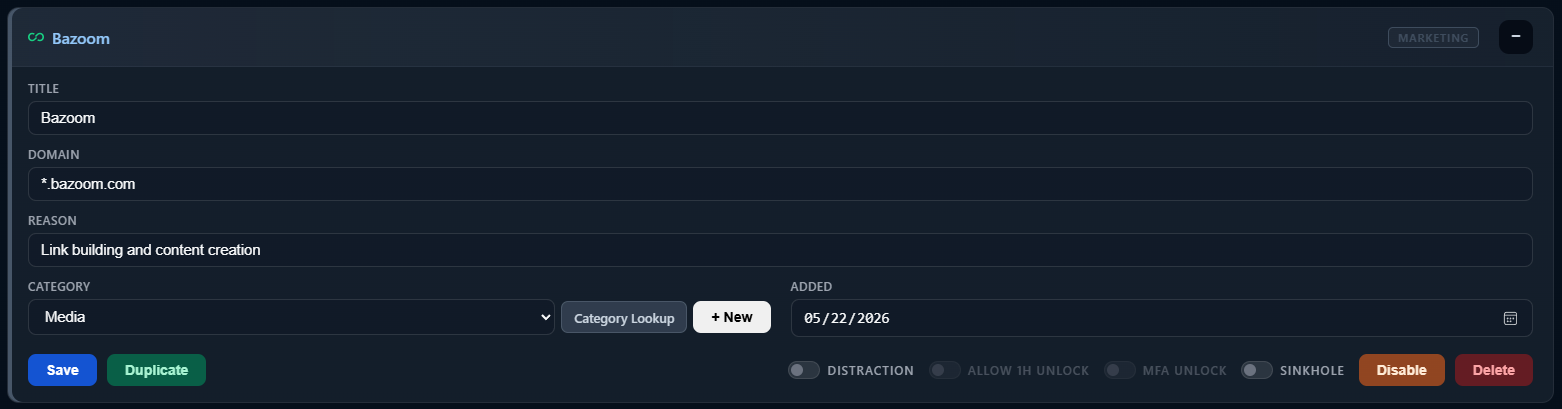
You decide what to block and why. Every entry can include a rationale so you remember your reasoning later.
Distraction-type entries support: - scheduled blocking - temporary 1-hour unlocks - optional TOTP-gated unlocks
…adding intentional friction to help reduce impulsive distractions.
A browser extension complements DNS blocking by providing a cleaner, more explainable experience on devices where extensions can run.
Everything stays on your own infrastructure: - no cloud accounts - no telemetry - no subscriptions
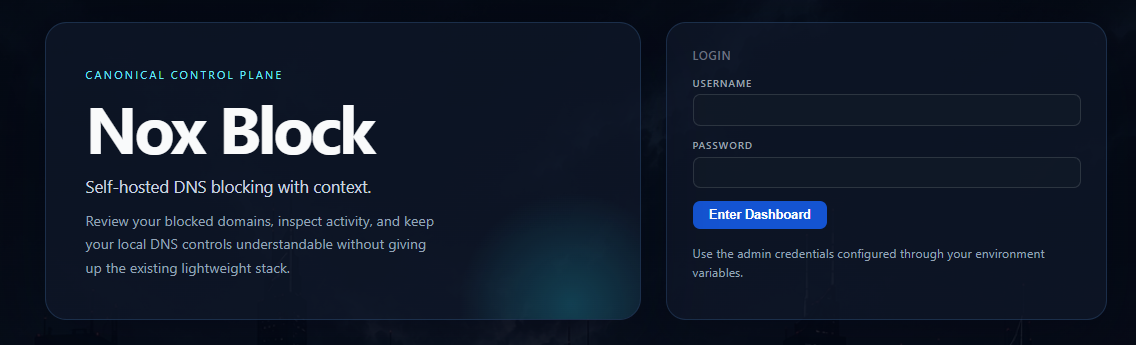
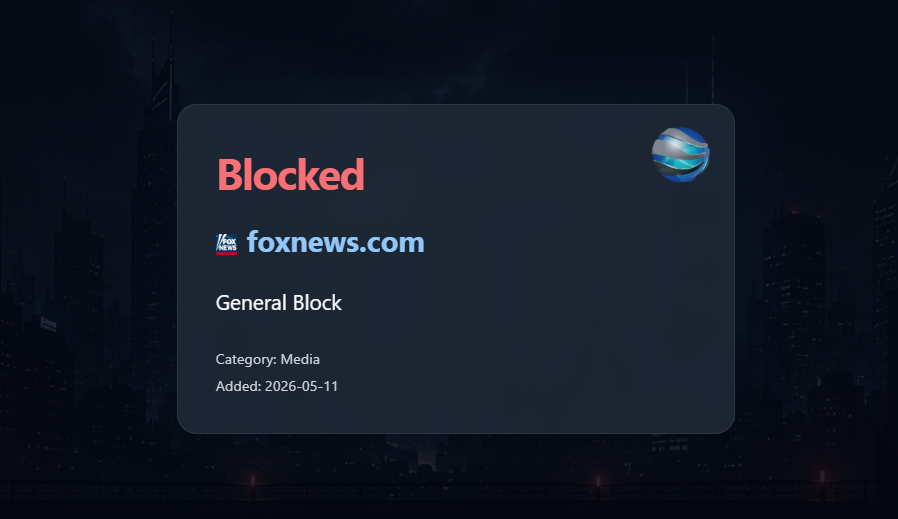
Why does this app even exist?
Here is some of my reasoning...
Why / when did I block this domain?
I find myself researching, digging into, learning about, and understanding various websites and services. Eventually I bump into a page, product, or pricing model that completely puts me off.
I block the domain in my DNS app and then completely forget why a year later.
Nox Block helps create a reminder artifact so that if I visit again, I immediately understand why I blocked it in the first place.
Distractions
Since transitioning from working in an office to working from home, I discovered there are distractions that many people genuinely struggle with.
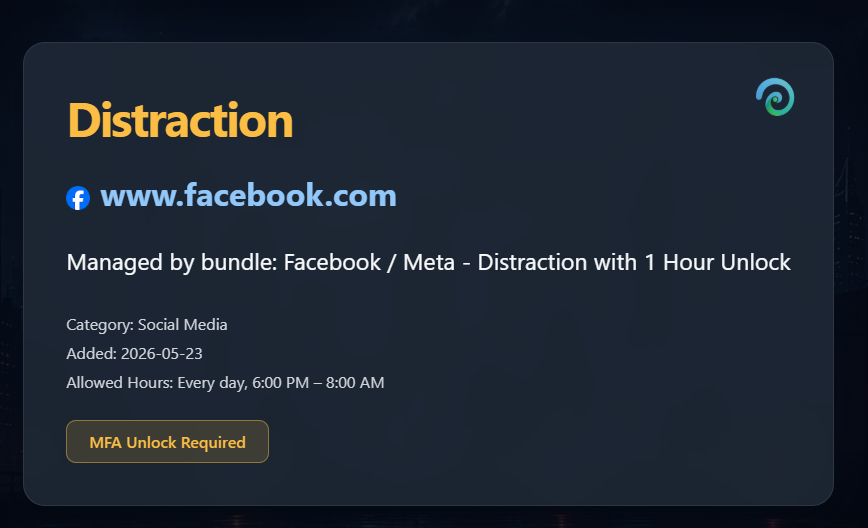
I'll be super honest and slightly personal here: ADHD can be overwhelming and incredibly distracting. Creating a technical system to reduce distractions fits my mindset far better than relying entirely on willpower alone.
Social media, doomscrolling, gaming, and random internet rabbit holes can destroy focus surprisingly quickly.
Knowing that I can mark a domain or service as a "Distraction" — making it unavailable during business hours — has genuinely helped me stay focused.
The urge to doomscroll is interrupted by a small but intentional layer of friction that effectively reminds me:
"Stop this. Focus."
Single pane of glass overview
I use multiple DNS providers for resilience and redundancy, so keeping everything synchronized with a clean overview became messy.
Nox Block simplifies and centralizes this.
Configurations are also backed up. Many DNS providers do not treat backups as a first-class feature unless you back up the entire VM or container yourself, which I already do for AdGuard Home and Pi-hole.
That leaves full restores as the only option instead of simple point-in-time recovery.
Building it was fun!
My IT journey has always been about learning, understanding, and experimenting.
I genuinely enjoyed creating Nox Block.
Why a browser extension?
This was actually one of the more interesting technical challenges during development.
Early versions of Nox Block relied entirely on DNS redirection and sinkholing. That worked technically, but modern browser security features such as HSTS created a surprisingly messy browsing experience.
I had absolutely no interest in deploying custom certificates across my entire home network just to make browser blocking look cleaner — especially when dealing with: - mobile devices - tablets - TVs - IoT devices - guest devices
That quickly becomes frustrating or outright impossible.
The browser extension solved this elegantly.
Instead of relying purely on DNS behavior, the extension simply queries Nox Block for your configured rules, distractions, schedules, and policies, then applies them directly within the browser itself.
This creates: - cleaner redirects - better block pages - smoother UX - explainable blocking - less browser security weirdness
Devices that cannot run the extension — such as mobile apps, TVs, or IoT devices — still benefit from standard DNS blocking behavior, which simply denies access to the destination.
In practice, this hybrid approach ended up being far cleaner and more reliable than trying to force everything through DNS-level browser redirection alone.
Licensing
- No hidden subscriptions
- No "one-time payment" nonsense
- No upsells
- I created this because I wanted to
Over the years I have benefited enormously from Open Source software created by others, so I thought it was important to give something back.
Privacy
Does Nox Block send my data outside of my network?
No.
Your DNS policies, blocked domains, schedules, activity logs, and personal configurations remain on your own infrastructure.
Nox Block does not sell, upload, analyze, or monetize your browsing behavior.
Is Nox Block a SaaS?
No.
Nox Block is a self-hosted Docker application designed to run on your own network infrastructure.
You control where it runs, how it is backed up, and who has access to it.
Does Nox Block require a cloud account?
No.
There are no mandatory cloud services, external accounts, subscriptions, or telemetry platforms required to use Nox Block.
Does Nox Block track me?
No.
Nox Block exists specifically because I wanted more control over my own environment — not less.
Overviews
Nox Block is a self-hosted DNS sinkhole and domain governance platform from Noximaze Software Solutions.
It provides intentional, explainable control over domain access through DNS rewrite enforcement, with support for:
- Category-based governance
- DNS provider synchronization
- Audit rationale per entry
- JSON backup and restore
- Local-first control
- Multi-provider DNS management
- Policy bundles from a curated remote catalog
- DNS Rewrites (Overrides) for custom hostname-to-IP mappings
Unlike traditional blocklists, Nox Block focuses on human-managed policy enforcement rather than opaque third-party filtering feeds.
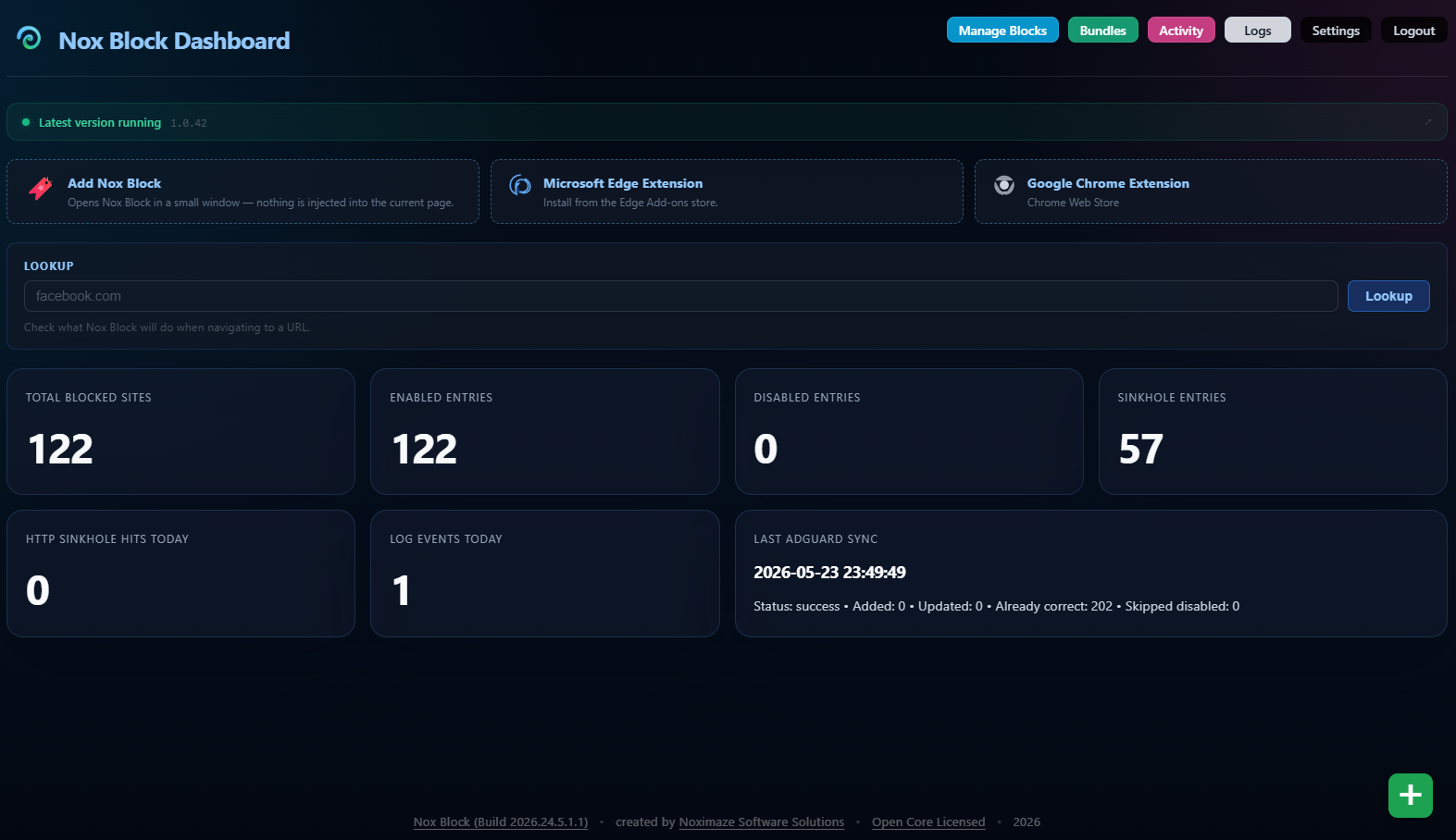
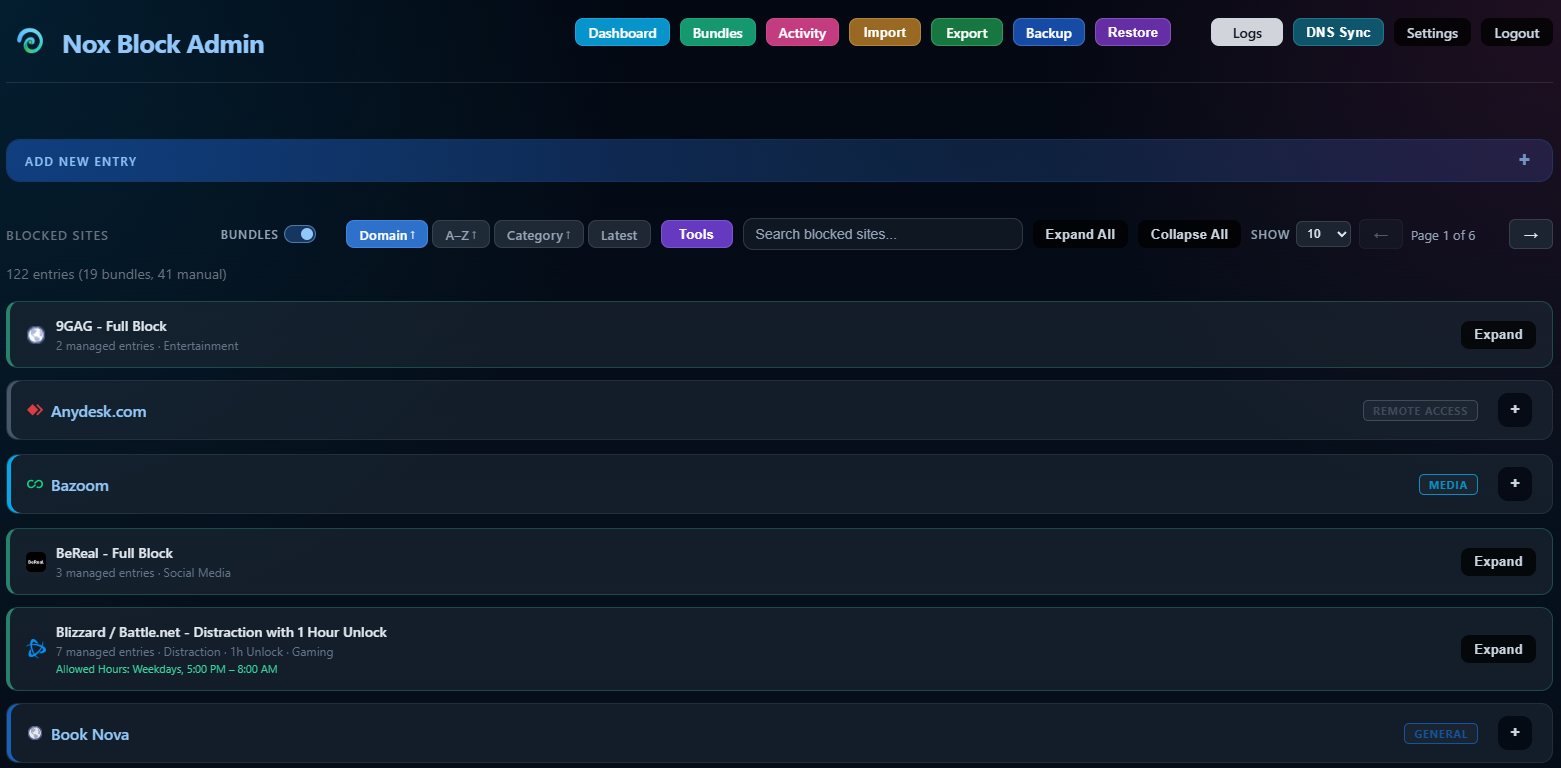
Screenshots
Core Capabilities
Domain Governance
- Blocked domain management
- Enable / disable per entry
- Categories
- Per-entry rationale
- Audit-friendly administration
DNS Rewrites (Overrides)
- Custom hostname-to-IP mappings
- Separate from block management — not blocks
- Synced to DNS providers during DNS Sync
- Enable / disable per entry
- Per-entry rationale
DNS Sync Providers
| Provider | Block Sync | Rewrite Overrides |
|---|---|---|
| AdGuard Home | Full rewrite support | Supported |
| NextDNS | Rewrite support | Supported |
| Pi-hole v6+ | REST API block list | Not supported — Pi-hole v6 API does not expose custom DNS rewrite management |
Multiple DNS providers can operate simultaneously.
How Nox Block Works
Nox Block operates as a DNS sinkhole.
The application itself does not directly intercept internet traffic. Blocking is enforced entirely through DNS resolution.
Request Flow
DNS Rewrite Enforcement
When a domain is blocked:
- DNS resolves the domain to the Nox Block server
- The browser connects to Nox Block instead of the real site
- Nox Block serves a block page when possible
Without DNS rewrites in place, Nox Block cannot enforce blocking.
DNS Sync
You are in control of what (if any) DNS providers you push updates to.
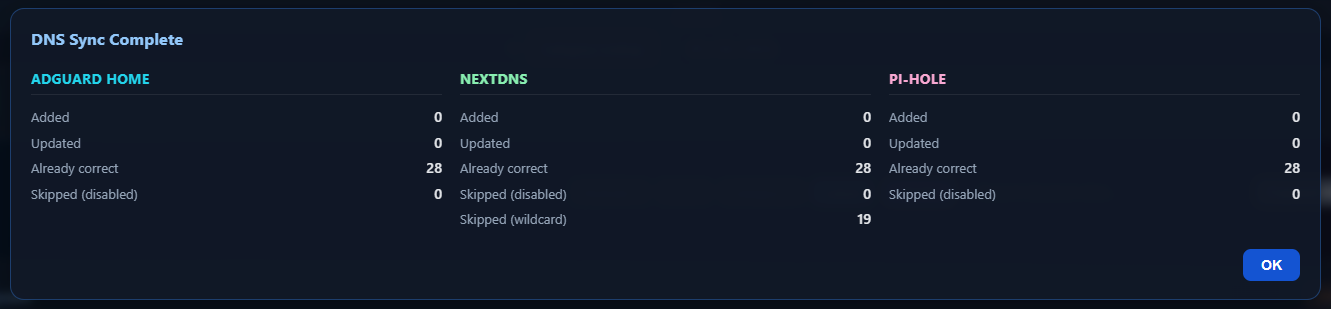
You can enable or disable one or more DNS provider in Settings.
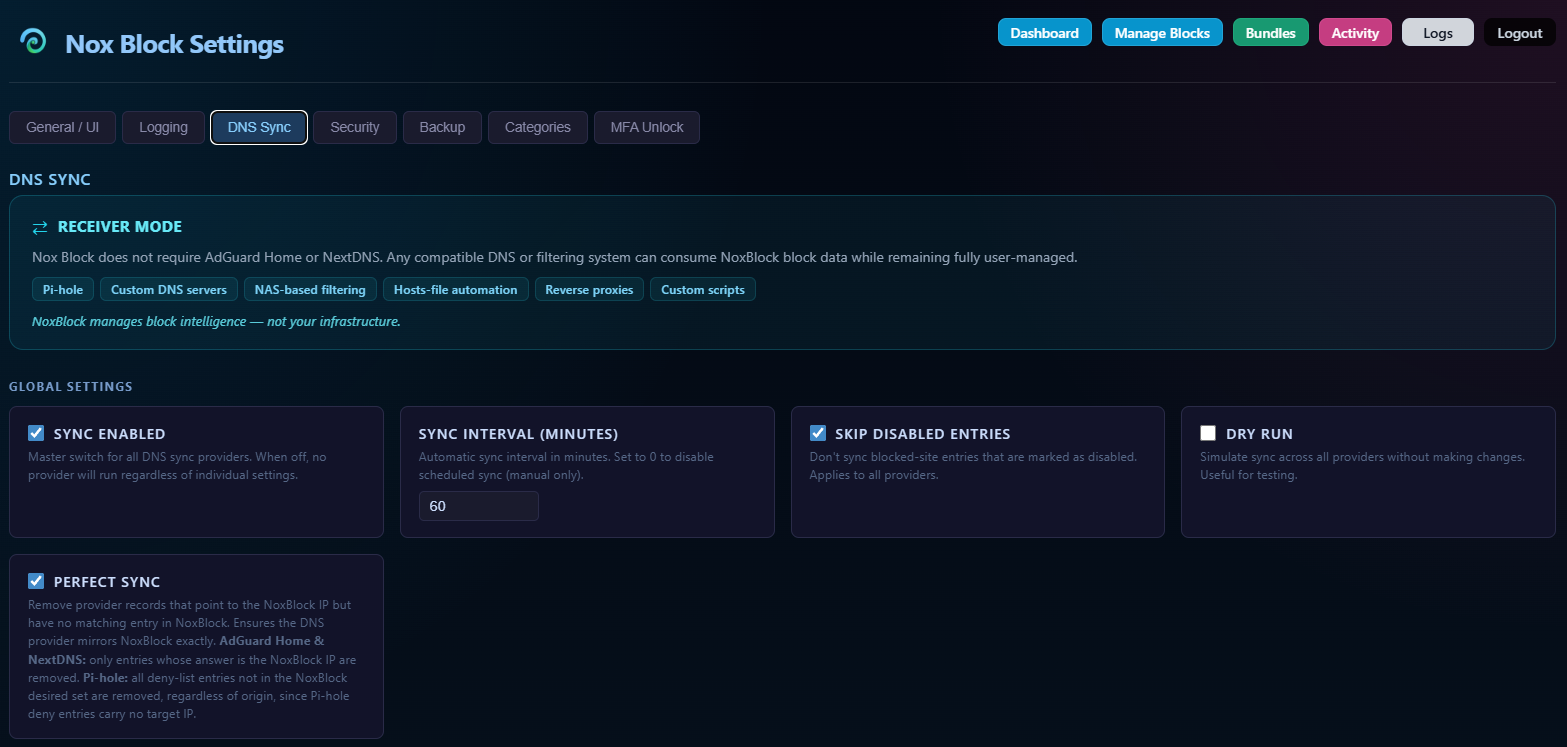
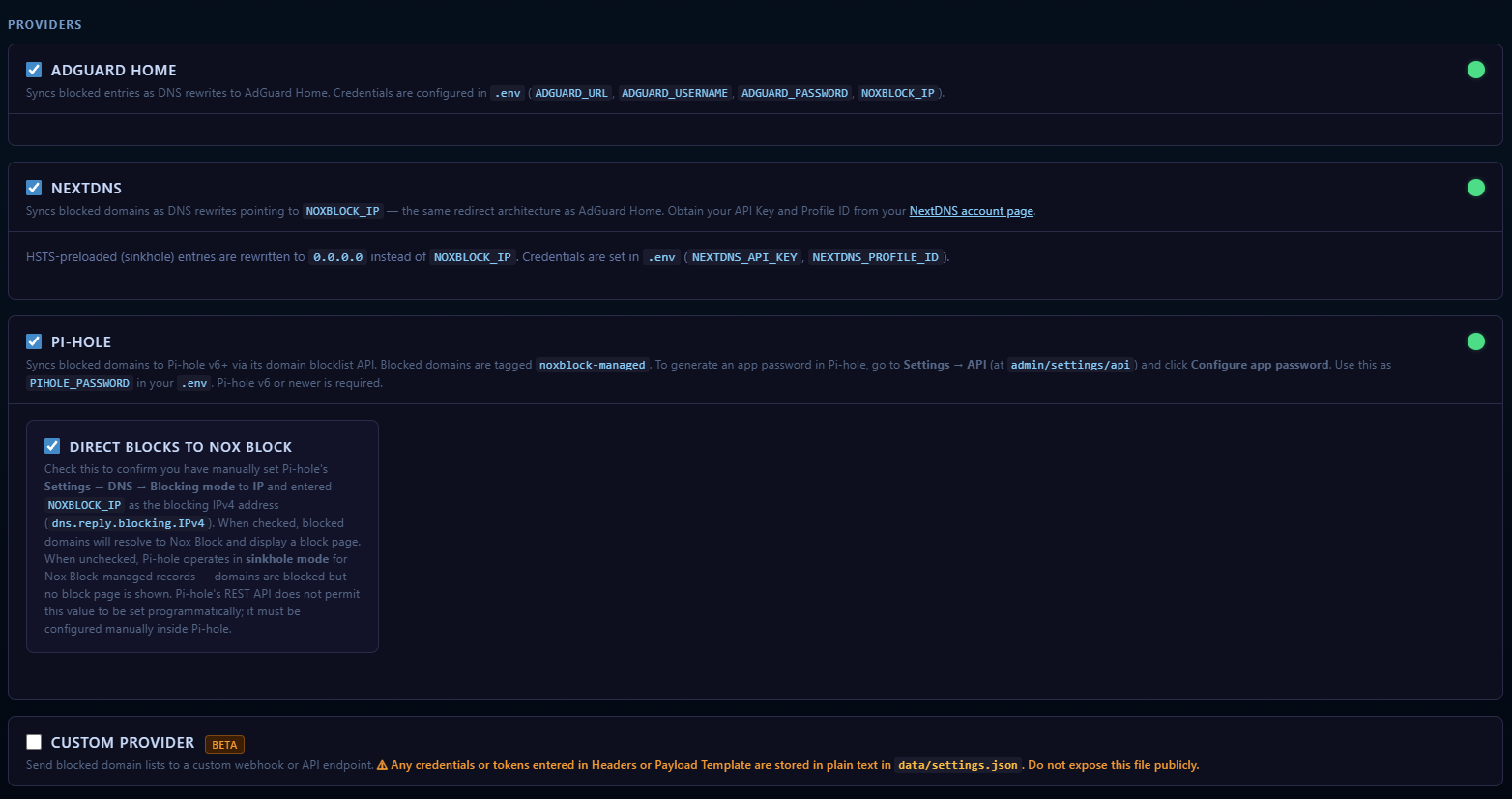
Nox Block can automatically manage rewrite entries using provider APIs.
Note
Note that Nox Block is your blocking authority for presenting the user with a block page but your DNS providers are the core of what directs DNS queries to Nox Block.
Supported Providers
AdGuard Home
- Wildcard support
- Sinkhole support
- Full rewrite automation
NextDNS
- Rewrite support
- Sinkhole support
- Wildcards unsupported by NextDNS API
Pi-hole v6+
- Custom DNS rewrite support
- REST API integration
- Wildcards unsupported
Direct Blocks to Nox Block
The Direct Blocks to Nox Block* toggle in *Nox Block settings is an acknowledgement that you have manually configured Pi-hole to route blocked domains to your Nox Block server. Pi-hole's REST API does not permit dns.reply.blocking.IPv4 to be changed programmatically, so this step must be done inside Pi-hole itself.
To configure Pi-hole:
- In Pi-hole, go to Settings → DNS
- Set Blocking mode to IP
- Enter your
NOXBLOCK_IPvalue as the Blocking IPv4 address (dns.reply.blocking.IPv4) - Save, then check Direct Blocks to Nox Block* in *Nox Block settings
| Toggle state | Behaviour |
|---|---|
| Checked | Confirms Pi-hole is pointing blocked domains to Nox Block. A block page will be shown for non-HSTS domains. |
| Unchecked | Pi-hole operates in sinkhole mode for Nox Block-managed records. Domains are blocked but no block page is shown. |
This toggle is unchecked by default. You must opt in after completing the manual Pi-hole configuration above.
Pi-hole Requirement
Pi-hole integration requires Pi-hole v6 or newer.
HTTPS / HSTS Behaviour
Modern websites commonly enforce HSTS (HTTP Strict Transport Security).
For these domains:
- Browsers refuse invalid TLS certificates
- Nox Block cannot impersonate the original site
- Browsers show a certificate or connection error
This is expected behavior.
What Users Will See
| Site Type | Result |
|---|---|
| Non-HSTS HTTP sites | Nox Block block page |
| HSTS-enforced HTTPS sites | Browser connection failure |
The site remains successfully blocked in both cases.
Why this happens
Nox Block intentionally does not perform HTTPS interception or TLS impersonation. It operates purely as a DNS sinkhole. For HSTS-protected domains, browsers correctly reject the certificate mismatch because the traffic has been redirected to the Nox Block server.
Fail-Closed Architecture
Nox Block is intentionally fail-closed.
If the container is offline:
- Blocked domains still resolve to the Nox Block IP
- Browsers cannot reach the real destination
- Enforcement remains active
This ensures policy continuity during:
- Maintenance
- Upgrades
- Outages
- Restarts
What this means in practice
During maintenance or updates, blocked domains remain inaccessible instead of silently bypassing policy enforcement.
Known Limitations
- HTTPS interception is not performed
- HSTS domains cannot display block pages
- Wildcards unsupported in NextDNS rewrites
- Wildcards unsupported in Pi-hole custom DNS
- DNS propagation delay depends on client caching behavior
Policy Bundles
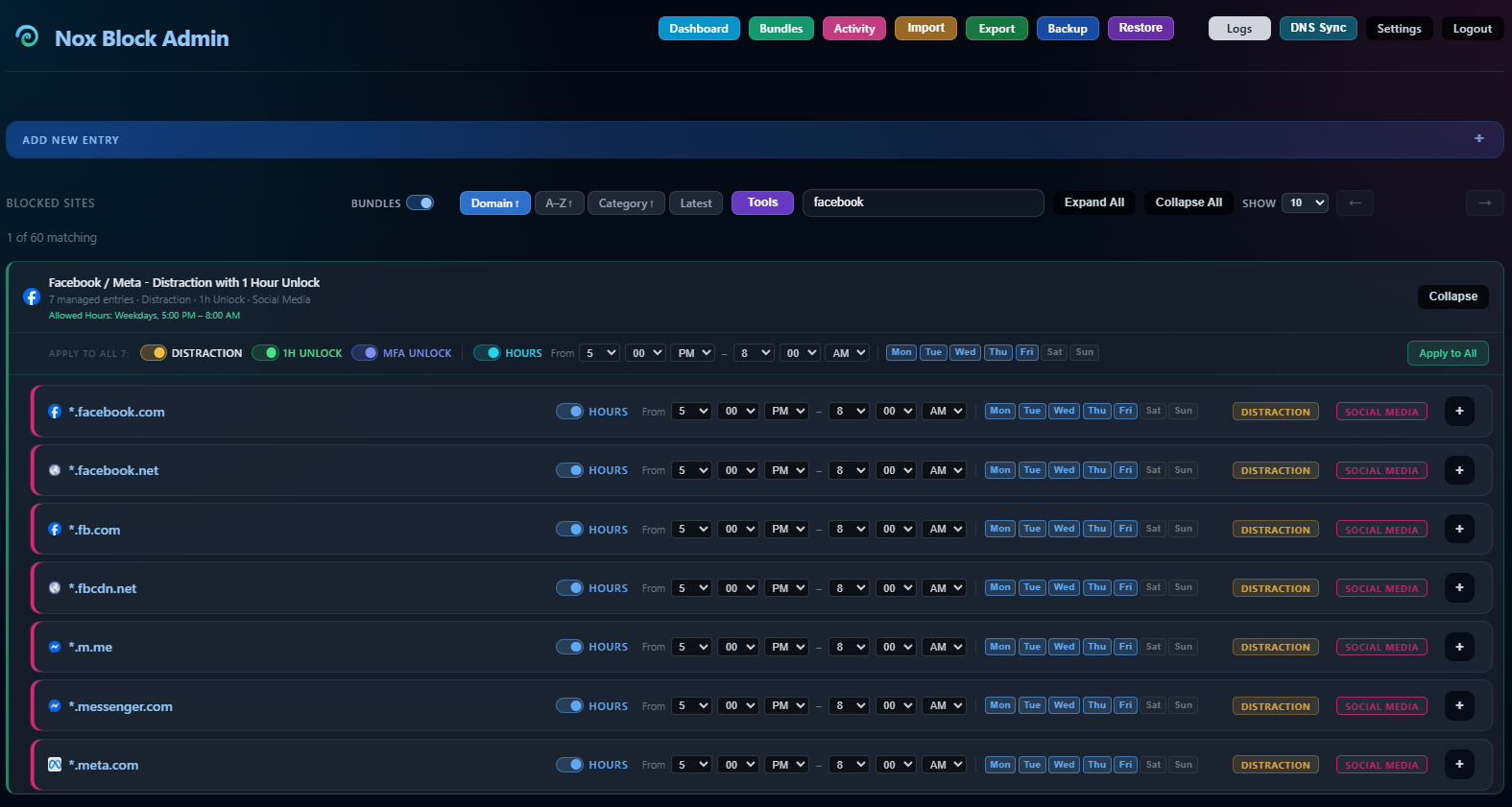
Facebook as an example...
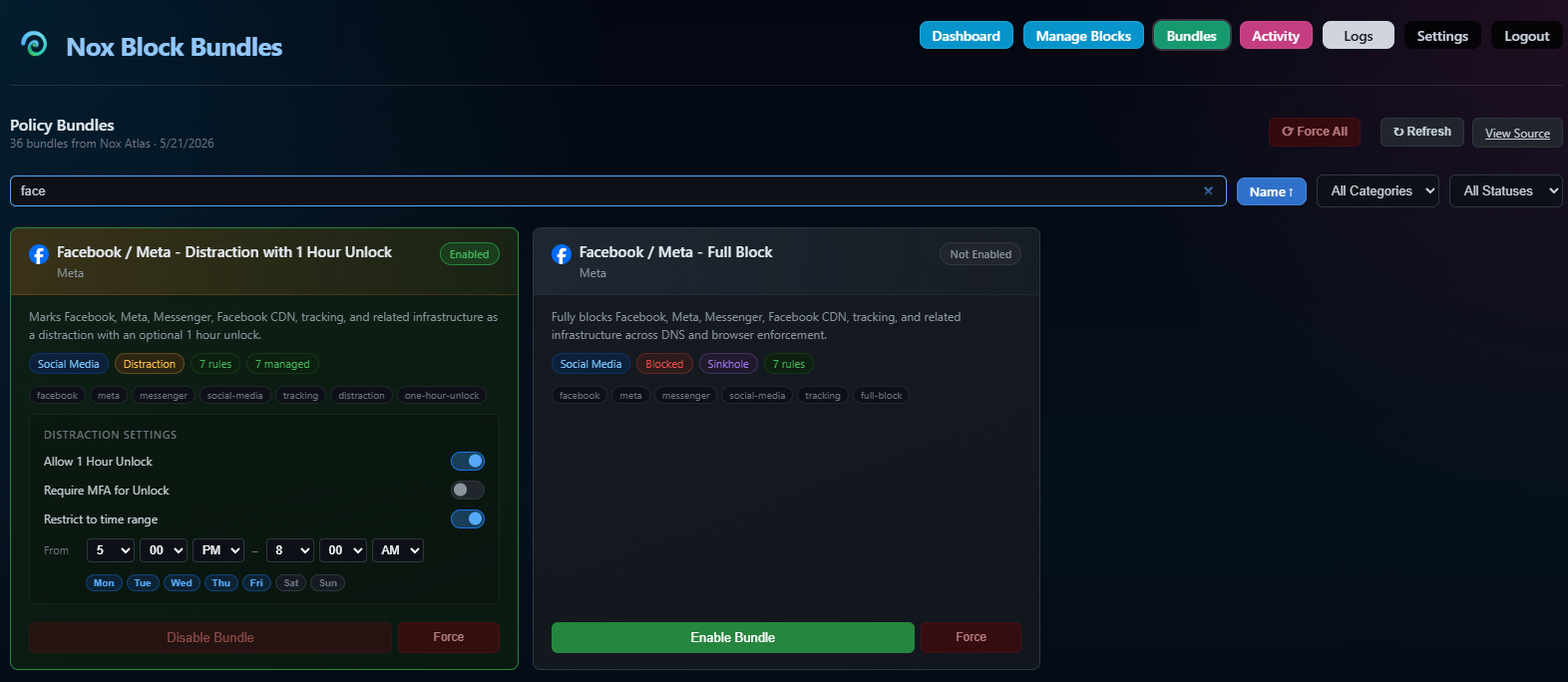
Here is what it looks like on your admin page when you enable the Bundle...
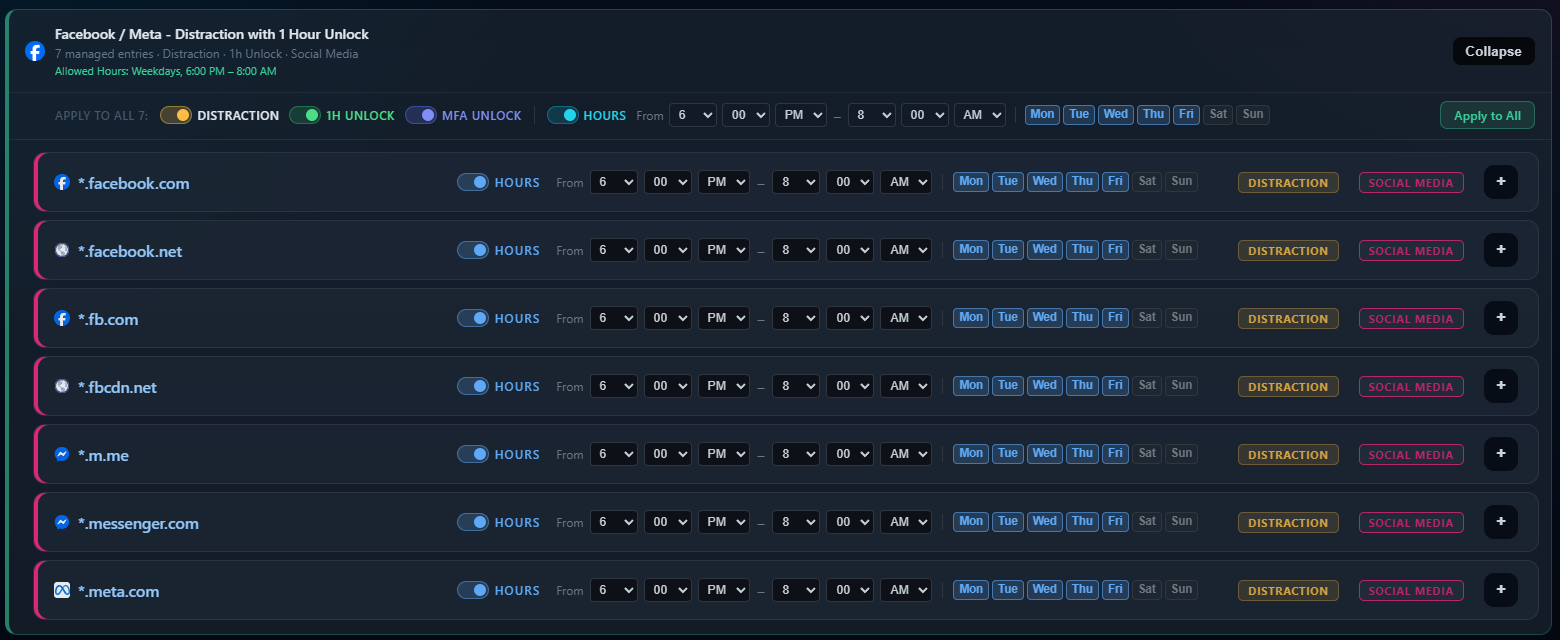
Nox Block includes a Bundles feature that lets you import pre-built domain policy sets from a curated remote catalog hosted on Nox Atlas.
What Bundles Do
Each bundle is a named collection of domain rules maintained by Noximaze. Importing a bundle creates managed entries in your block list — tagged with the bundle name and ID so they can be tracked and removed as a group.
Bundle Types
| Type | Behaviour |
|---|---|
| Blocked | Domains are fully blocked via DNS sinkhole |
| Distraction | Domains are marked as distractions with optional unlock controls |
| Sinkhole | Domains are sinkhled regardless of type |
Distraction Settings
Bundles with a distraction type support per-bundle configuration:
- Allow 1 Hour Unlock — allows a temporary bypass from the block page
- Require MFA Unlock — requires a valid TOTP code before the 1-hour unlock is granted (only available when MFA Unlock is configured)
- Restrict to time range — only enforces blocking outside a configurable time window (e.g. allow access 5 PM – 10 PM)
These settings are applied to all managed entries at import and can be updated at any time from the Bundles page without removing and re-importing the bundle.
Enabling a Bundle
- Navigate to Bundles in the top navigation
- Find the bundle you want to enable
- Configure distraction settings if applicable
- Click Enable Bundle
All domain rules from the bundle are imported into your block list. Domains that already exist in your list are skipped.
Disabling a Bundle
Click Disable Bundle on an enabled bundle card. All entries managed by that bundle are removed. Manually-created entries with the same domain are not affected.
Bundle Catalog Source
DNS Rewrites
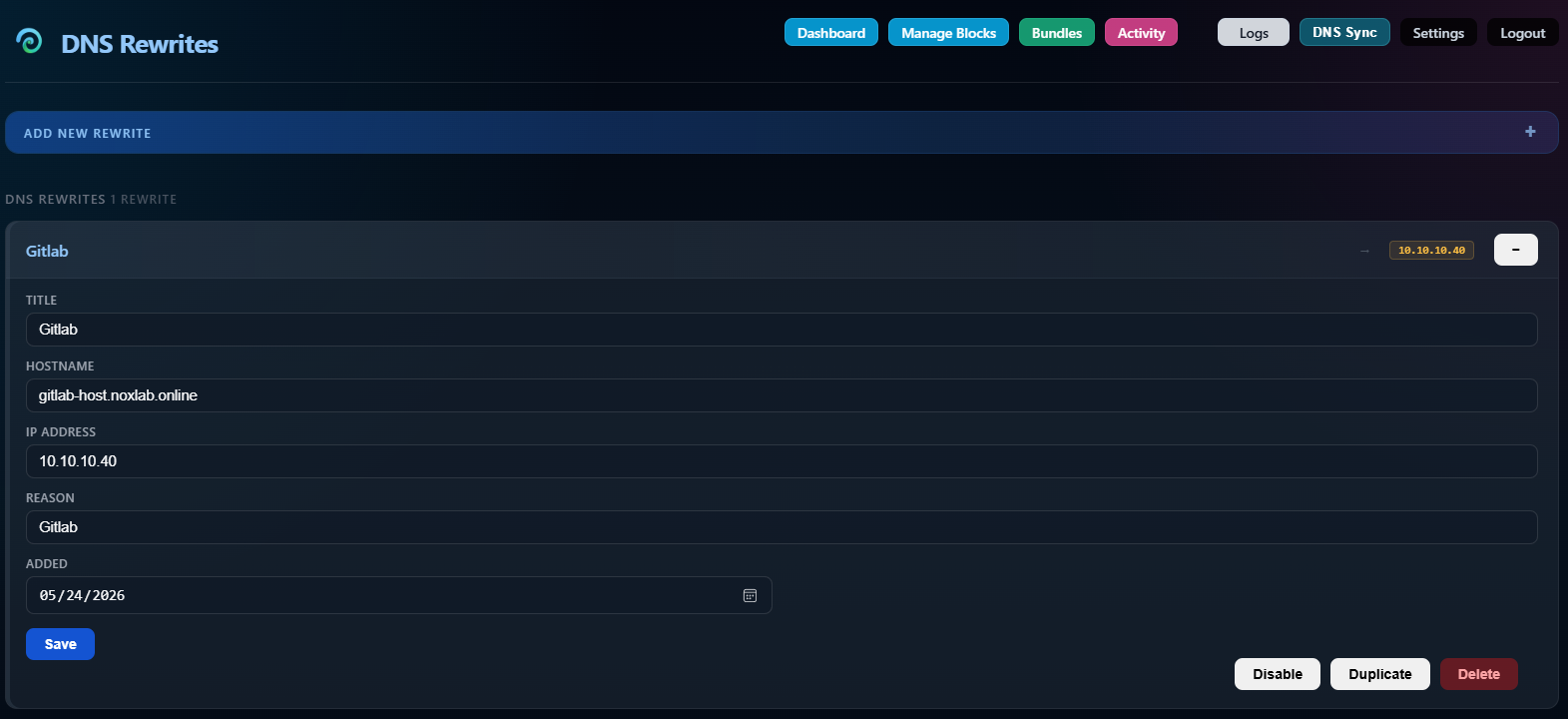
DNS Rewrites (also called Overrides internally) are explicit hostname-to-IP mappings that are pushed into your DNS providers during the DNS Sync process.
They are entirely separate from blocks. A DNS Rewrite does not create a block page or restrict access — it simply tells your DNS provider to resolve a specific hostname to a specific IP address.
Example
| Title | Hostname | IP Address | Reason |
|---|---|---|---|
| GitLab Host | gitlab-host.noxlab.online |
10.10.10.40 |
Internal GitLab server |
| Home NAS | nas.home.internal |
192.168.1.80 |
Synology NAS on local network |
What DNS Rewrites are for
DNS Rewrites are useful for:
- Internal hostnames that need to resolve to private IP addresses
- Self-hosted services accessible within your home network
- Splitting DNS so that internal services resolve correctly behind NAT
- Any situation where you want a consistent hostname-to-IP mapping managed centrally
Fields
| Field | Description |
|---|---|
| Title | Display name (optional) |
| Hostname | The DNS name to rewrite (e.g. gitlab.internal.noxlab.online) |
| IP Address | The IPv4 address the hostname should resolve to |
| Reason | Why this rewrite exists |
| Added | Date the entry was created |
| Enabled | Whether the rewrite is actively synced to providers |
Provider support
| Provider | Support |
|---|---|
| AdGuard Home | Full support — rewrites created, updated, and removed via the AdGuard rewrite API |
| NextDNS | Full support — rewrites created, updated, and removed via the NextDNS rewrite API |
| Pi-hole | Not supported — the Pi-hole v6 REST API manages block lists only and does not expose custom DNS rewrite management to arbitrary IPs |
Delete and disable behaviour
- Disable — the rewrite is removed from all DNS providers immediately. It is not waiting for the next sync.
- Delete — the rewrite is removed from all DNS providers immediately, then deleted from Nox Block.
- Enable — the rewrite is pushed to all DNS providers in the background.
Accessing DNS Rewrites
Navigate to Rewrites in the top navigation bar from any page in the Nox Block admin interface.
MFA Unlock Protection
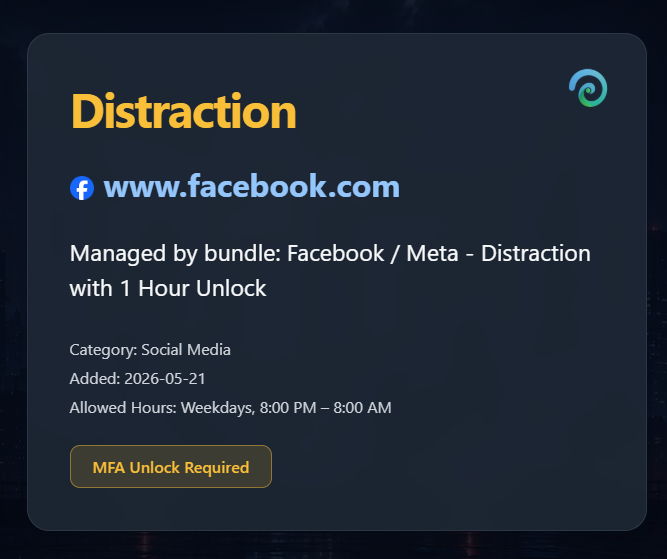
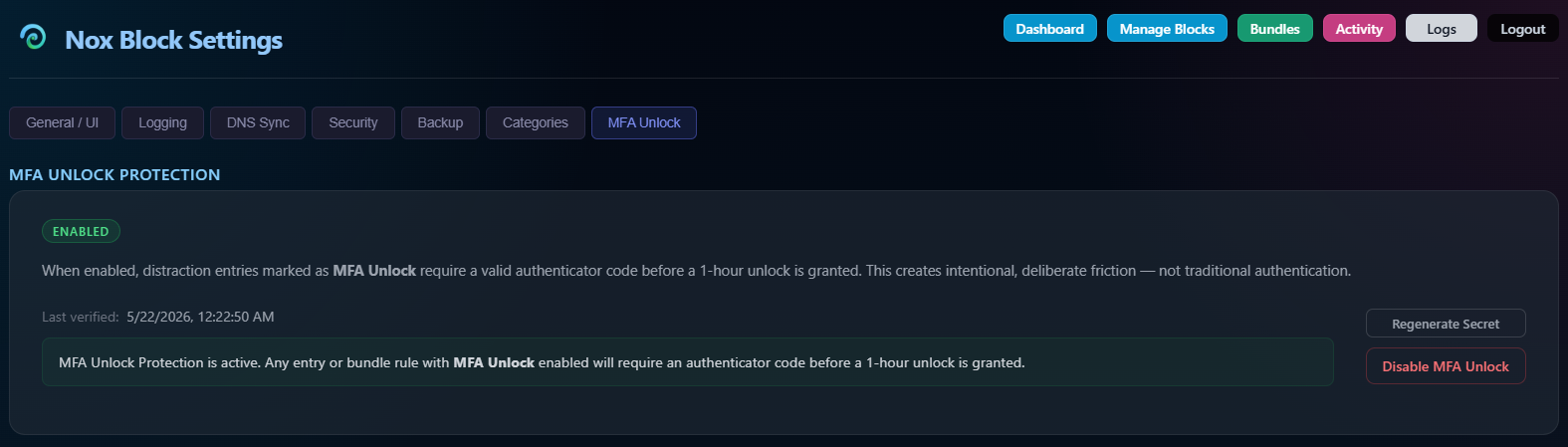
Nox Block supports TOTP-based multi-factor authentication for the 1-hour unlock feature on distraction-type entries. When enabled, users must enter a valid 6-digit code from an authenticator app before a temporary unlock is granted.
This prevents impulsive bypasses — the friction of opening an authenticator app is intentional.
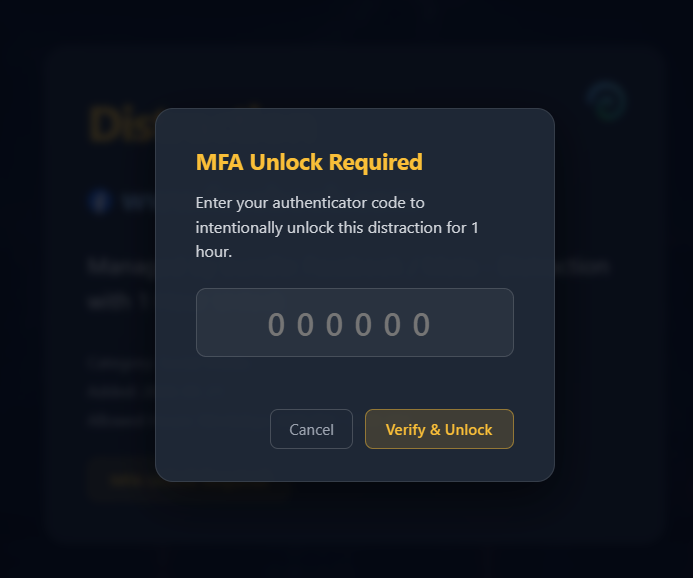
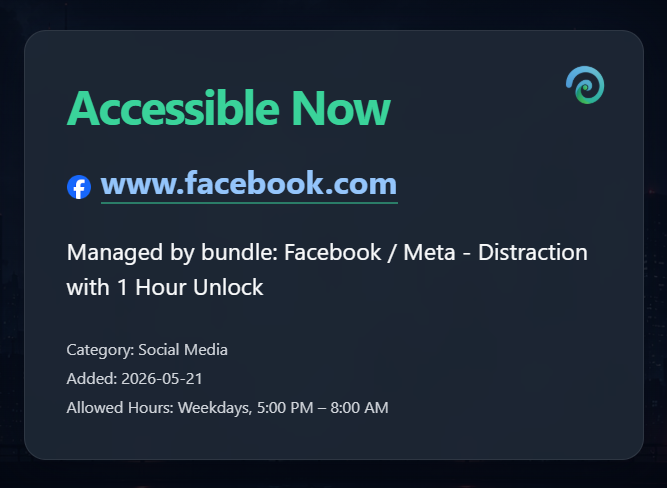
When the current time falls outside of the unavailable window, i.e. becomes not blocked, the page switches to become available. Clicking the link or simply visity the page from a link or bookmark will no longer show the block page and the usual website experience is restored.
Full day unlocked, i.e. a weekend. You would see this when the day of the week transitions from Friday to Saturday, where the weekend are unblocked, but only if this page was already open.
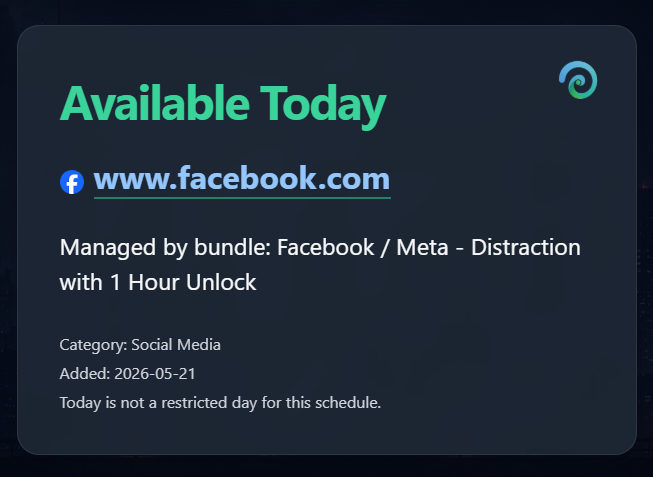
Outside of blocked hours, i.e. catching up on social media is allowed. Contratulations from minimizing your distractions during your "Work hours" !
Setting Up MFA Unlock
MFA Unlock is configured in Settings → MFA Unlock.
Step 1 — Enable
Click Enable MFA Unlock Protection. Nox Block generates a TOTP secret and displays a QR code.
Step 2 — Scan
Open your authenticator app and scan the QR code. Compatible apps include:
- Aegis (Android)
- 2FAuth (self-hosted web)
- Google Authenticator
- Bitwarden
- Any standard TOTP app
Alternatively, enter the manual key displayed below the QR code.
Step 3 — Verify
Enter the current 6-digit code from your authenticator app and click Verify & Activate. MFA Unlock is not active until verification succeeds.
Verification required
Scanning the QR code alone does not activate MFA Unlock. You must complete the verification step. The status will show Setup in progress until a valid code is submitted.
Status indicators
| Status | Meaning |
|---|---|
| Disabled | MFA Unlock is not configured |
| Setup in progress | QR code scanned but not yet verified |
| Enabled | MFA Unlock is active and enforced |
Disabling MFA Unlock
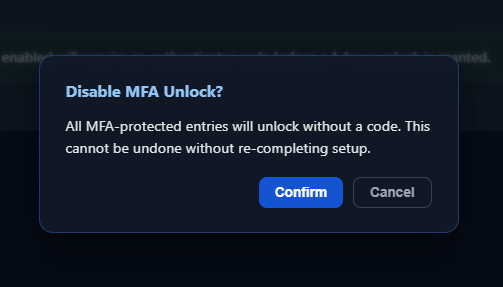
Click Disable MFA Unlock in Settings → MFA Unlock. This removes the stored secret and deactivates TOTP enforcement on all entries immediately.
Re-setup required
Disabling MFA Unlock removes the TOTP secret permanently. To re-enable it you must scan a new QR code and verify again. Your existing authenticator entry will no longer work.
Enabling MFA Unlock Per Entry
Once MFA Unlock is globally configured, the MFA Unlock toggle becomes available on individual distraction entries in the admin interface.
Requirements
An entry must meet all three conditions before the MFA Unlock toggle is available:
- Entry type is Distraction
- Allow 1 Hour Unlock is enabled on that entry
- MFA Unlock is globally Enabled in Settings
Bundle behaviour
When Allow 1 Hour Unlock and MFA Unlock are enabled on a bundle entry, those settings apply to every domain in the bundle. Unlocking any one domain in a bundle unlocks the entire bundle simultaneously — the user only needs to enter the MFA code once.
The Unlock Flow (End User)
When a user reaches a block page for a distraction entry with MFA Unlock enabled:
- The block page shows an MFA Unlock Required button instead of the standard unlock button
- Clicking it prompts for a 6-digit TOTP code
- The code is verified server-side against the stored secret
- On success, the domain (and all other domains in its bundle, if applicable) is temporarily unlocked for 1 hour
- On failure, an error is shown and the domain remains blocked
Nox Block Requirements
- Docker
- Docker Compose
- Linux server, VM, NAS, or homelab host
- Basic DNS and networking knowledge
Installation
Create Directory
Environment Configuration
Create .env
Environment Variable Notes
| Variable | Description |
|---|---|
NOXBLOCK_ADMIN_USER |
Admin username |
NOXBLOCK_ADMIN_PASSWORD |
Admin password |
NOXBLOCK_BASE |
Base URL or hostname |
NOXBLOCK_IP |
IP address of the Nox Block server |
NOXBLOCK_SESSION_SECRET |
Long random string for session security |
USE_ADGUARD |
Enable AdGuard Home integration |
ADGUARD_URL |
AdGuard Home URL |
ADGUARD_USERNAME |
AdGuard Home username |
ADGUARD_PASSWORD |
AdGuard Home password |
NEXTDNS_API_KEY |
NextDNS API key |
NEXTDNS_PROFILE_ID |
NextDNS profile ID |
USE_PIHOLE |
Enable Pi-hole integration |
PIHOLE_URL |
Pi-hole URL |
PIHOLE_PASSWORD |
Pi-hole application password |
PIHOLE_ALLOW_SELF_SIGNED |
Allow self-signed Pi-hole HTTPS certificates |
Protect your .env file
The .env file contains credentials and secrets. Do not commit it to Git or expose it publicly.
Docker Compose
Create a docker-compose.yml file:
Start Nox Block
Access the Web UI
Open your browser and navigate to:
Replace server-ip with the IP address or hostname of your server.
Updating
Pull the latest image and restart the container:
Backups
Nox Block includes built-in JSON backup and restore functionality through the admin interface.
Recommended host backup path:
This directory contains:
- Blocked domains
- Categories
- Settings
- Cached intelligence data
Nox Atlas Integration
Nox Block optionally integrates with Nox Atlas for category suggestions.
Atlas suggestions:
- Are advisory only
- Never override local policy
- Require user approval
- Do not modify rationale fields
Atlas Feed Source
Troubleshooting
View Running Containers
View Logs
Restart the Container
License
Nox Block is distributed under the *Nox Block* Community License v1.0.
Permitted
- Personal self-hosted use
- Internal organizational use
- Local modification for non-commercial purposes
Restricted
- Commercial redistribution
- SaaS hosting
- White-labeling
- Repackaging for resale
Commercial licensing requires written permission from Noximaze Software Solutions.
Related Projects
- Nox Atlas — Shared domain classification feed
- Noximaze Software Solutions — https://www.noximaze.com